If you are using Factorial in US English, note that the term Agreements is used in place of contracts. The functionality remains the same.
Contracts define the employment conditions of each employee in Factorial. They centralize all key information related to an employee’s role, compensation, working time, and legal details.
This article is intended for admins and HR managers who need to review, understand, or manage employee contracts within Factorial.
Here you’ll learn what information is stored in contracts, how it is structured, and how it impacts areas such as payroll, time tracking, and reporting.
Where to find and manage Contracts
- Head to Organisation, located on the sidebar menu
- Select an employee
- Go to the Contracts/ Agreements section

What information is stored in a contract?
Accessing your ongoing conditions with the Factorial Mobile App
You can view all the information about your current conditions directly from the Factorial mobile app. You will be able to see all the information listed below.
Contract/ Agreement information
- Effective date: the date since the contract conditions have been effective.
- Start date: the date when the company and the employee start a relationship.
- End date: the date when the company and the employee end the relationship.
- Contract/ Agreement type
- Trial period: choose if your employee has a trial period or not.

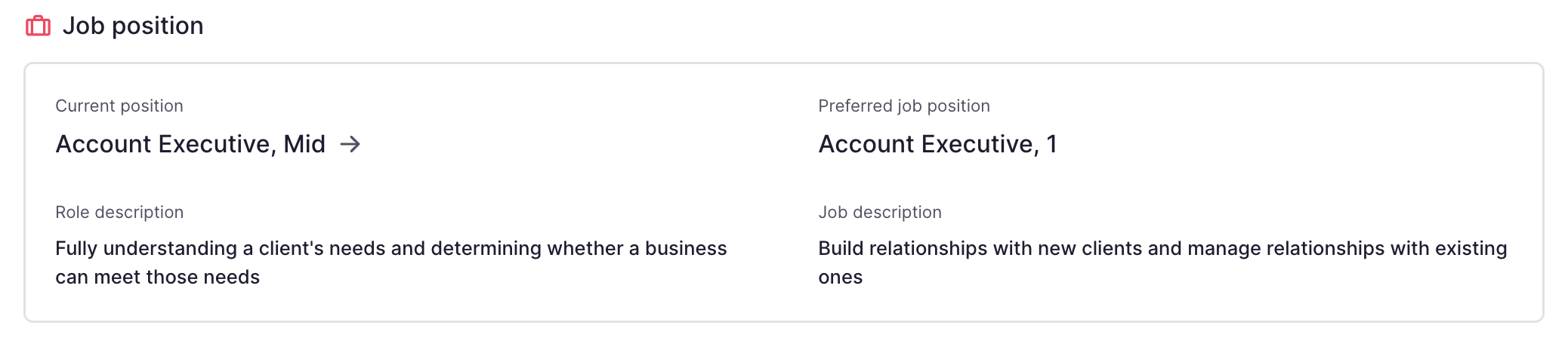
Job position
- Current position: the name of the employee's job. e.g. Instructional Designer.
- Preferred job title
- Job description: this field is only available for legal entities based in Spain
- Role description: the role description is found in the Jobs section. Learn more about jobs here.
If an employee is transferred to a legal entity in another country, the contract fields for that country may not appear right away. To resolve this, create a new contract version for the employee. Learn about managing contracts here.
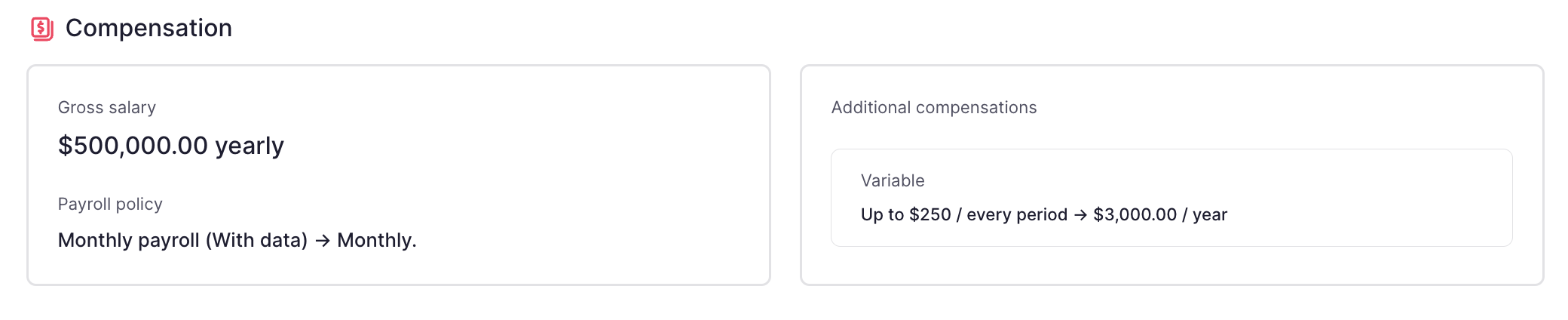
Compensation
- Gross salary: introduce the employee's base salary based on the desired compensation type.
- Payroll policy
- Additional compensations: add variables, bonus and benefits. These will be shown in the Payroll app.
Providing the salary information offers you the following advantages:
- Financial costs: Gain a comprehensive overview of your workforce's growth, both collectively and across individual legal entities.
- Payroll calculation and payments Attain a holistic understanding of the payroll process, enabling you to effectively manage allowances, payments, and overall payroll outcomes.
- Payroll incidences
- Salary ranges: a job catalog that provides comprehensive salary ranges.
- Reports: track changes in payroll and gain meaningful insights and make informed decisions.
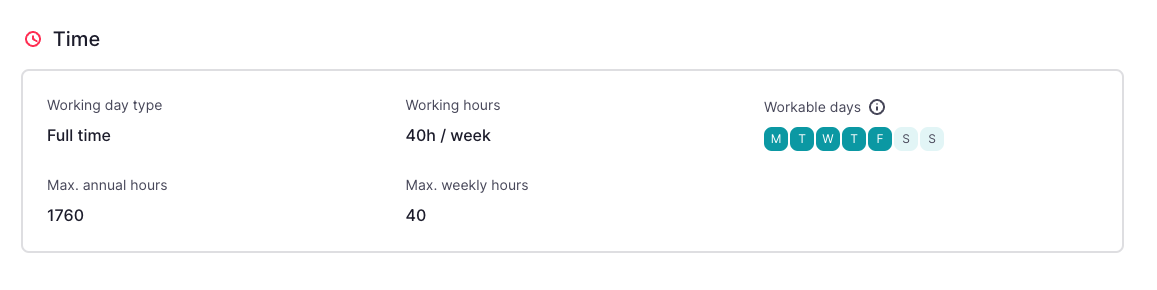
Time
- Working day type: full-time or part-time.
- Working hours: number of hours that this employee works.
- Workable days: days when employees are expected to work as per their employment agreement or company policy.
Completing working hours and workable days help to manage:
- Time tracking
- Time off
- Overtime compensation with time off
- Time planning
- Payroll calculation and payments
- Payroll incidences
- Reports
- If the employee owes hours to the company, or if the company owes hours to the employee
Legal and labour
- Professional category
- Contribution group
- Education level
- Remote work

Other information
Extra information for the contract based on the employee's country.
You can see this section only if you have installed the Payroll Management App.
- Contract observations
- Contract custom fields (if any)

Why do contracts matter?
Contracts are the source of truth for an employee’s working conditions in Factorial. The information stored in a contract directly affects how other features work across the platform.
Keeping contracts up to date is essential to:
- Ensure accurate payroll calculations and compensation reporting
- Correctly manage working time, time off, and overtime
- Maintain legal and employment records in one place
- Enable reliable reports and analytics across teams and entities
- Track changes over time through contract history
Outdated or incorrect contract information can lead to payroll errors, reporting inconsistencies, and operational issues, which is why contracts play a central role in employee management.
Agreements timeline
From the employee’s agreements section, you will be able to see the history of the contract conditions, update conditions or fix wrong information by clicking on History.

Permissions in Contracts
Set specific permissions to edit, promote, and delete contracts.
- Edit Contracts (updates and fixes): update and fix contracts. Users with this permission can modify contract details, correct errors or make any necessary adjustments. Existing users with the "edit contract" permission will also automatically receive this permission.
- Promote: manage promotions within contracts. Users with this permission can initiate and manage employee promotions. HR teams can choose to grant this permission to managers or other designated users responsible for managing promotions.
- Delete: remove contracts from the system when necessary. This permission should be granted with caution and only to users who need the ability to delete contracts. Use caution when assigning this permission to avoid accidental deletions.
What's next?
Now that you understand what contracts are and why they matter, you can:
- Learn how to create and edit contracts for employees
- Understand how to update contract conditions through new versions
- Explore how contracts interact with payroll, time tracking, and reporting
- Review permissions and roles to control who can manage contracts
Use the related articles in this section to dive deeper into each topic and manage contracts in Factorial with confidence.